


Messages - SMS Messenger
4.578.00 Reviews
App Specs
- Version
- 1.2.5
- Updated On
- License
- Free
- Downloads
- 1,000,000+
- Developer
- Iphone keyboard
- Categories
- Communication
- Platform
- Android
Screenshots
 Analysis by AppCompare
I judge a texting app less by how many buttons it can put on screen than by whether it makes ordinary conversations easy to handle. Messages - SMS Messenger is aimed at people who still rely on SMS and MMS and want a straightforward place to manage them, rather than another social network to keep up with. That focus gives it a clear purpose, though it also means it is best considered as a practical texting tool, not a replacement for every kind of chat service.
That distinction matters when choosing a default messaging app. SMS and MMS are useful for reaching people through familiar phone-number-based conversations, while internet messaging services often depend on both people using the same platform. I find this app most appealing when a dependable, uncomplicated way to send a text or share a photo matters more than a large set of social features.
Where it fits in everyday communication
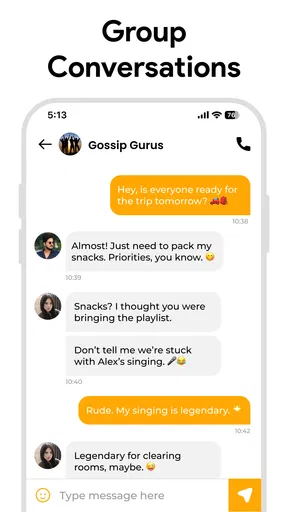
A realistic use is coordinating a family pickup: one person sends a quick change of plan, someone else replies when they can, and the group can see the same conversation. Group messaging helps keep those details together instead of scattering them across individual chats. For a casual group that mostly exchanges short updates, that can be more useful than moving everyone to a service they may not already use.
MMS also has a practical role when a message needs more than words. A photo or other media can add context that would take several texts to explain. Emojis, GIFs, and stickers offer lighter ways to react, but I would treat them as extras around the basic job: getting a message to the right person in a familiar format.
What to consider before making it your default
The main trade-off is that SMS and MMS are not the same experience as an internet-first messenger. If your regular conversations depend on features tied to a particular online service, such as shared media spaces or a broader community feed, a dedicated platform may suit you better. This app makes more sense when your priority is conventional phone messaging and you want its extras without changing the basic way you communicate.
I would also avoid assuming that a privacy label answers every security question. The app is presented as secure, but readers who need to assess how a messenger handles sensitive work or personal information should check its current privacy details and compare them with their requirements. For routine coordination, the simple SMS/MMS approach may be enough; for confidential conversations, I would choose a service whose security practices I have reviewed carefully.
Small habits that make messaging easier
One useful habit is to keep group messages focused. A group thread works well for one shared plan, such as arranging a meal or confirming who is bringing what, but it can become noisy when unrelated topics pile up. I would use it for coordination that genuinely concerns everyone and move one-to-one details into a direct conversation.
Worth Reading Before You Choose

EA SPORTS FC Mobile 26 Is a Bigger Football Game, but It Takes Time

Flipboard Shows What News Apps Must Do Beyond the Feed

Switching to Android Auto Means Rethinking Your Driving Routine

Google Calendar Makes a Crowded Week Easier to Manage

Ludo King Makes the Most of the Minutes Between Plans

Baby Panda World Brings Quick Play to Modern Phones, but Its Game Library Feels Busy
Quick replies are most valuable when a full conversation is not needed. A brief confirmation can keep a plan moving while you are occupied, but for anything ambiguous I would slow down and write enough context to prevent a second round of clarification. That is a small distinction, yet it makes a messaging app feel more useful in real life than simply sending the shortest possible response.
Personalization is another choice worth keeping practical. Changing chat colors or backgrounds can help make the interface feel more like yours, and a distinct look may make conversations easier to recognize at a glance. I would favor readability over decoration, especially if you often check messages quickly or use the app in different lighting.
Who is likely to appreciate it
I can see this being a good fit for someone who wants a simple home for everyday texts, uses group messages for family or local plans, and enjoys having expressive extras such as stickers and GIFs. It may also suit people who are not interested in learning a feature-heavy platform just to send ordinary messages. The app is free, rated for Everyone, and has an average rating of 4.5 from around 28,000 ratings, which gives a prospective user a useful sense of its broad appeal without promising that every person will prefer it.
On the other hand, I would skip it if your friends and colleagues already organize everything in a particular internet messenger and you need to stay inside that ecosystem. I would also look elsewhere if you want a tool for advanced collaboration or if a specific security standard is essential. A focused texting app is not automatically the best answer to every communication need.
The Basics of Messaging Bliss
First off, Messages - SMS Messenger is all about keeping things simple and intuitive. If you’re someone who loves straightforward text messaging without the frills, this might just be your new best friend. It focuses on traditional SMS and MMS, and it does it really well.
Interface and Design
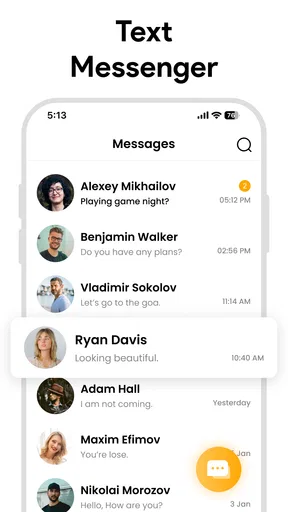
Let’s talk about the design. The app has a clean and modern interface that’s easy on the eyes. You won’t find unnecessary clutter here. Everything is laid out in a way that just makes sense. Navigating through your messages feels natural, and the app doesn’t throw too many options at you all at once. You’ll find it’s easy to dive right in without a steep learning curve.
Features That Stand Out
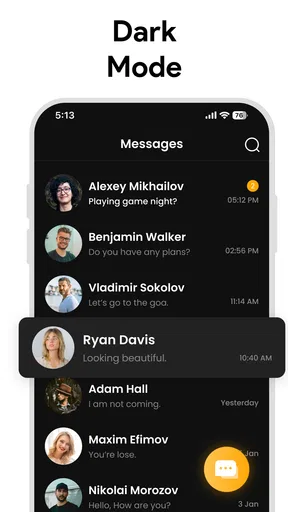
While the app keeps things simple, it doesn’t skimp on the features that matter. You’ve got the usual suspects like group messaging and multimedia support. But what really caught my attention were the customizable themes. You can tweak the look of your chat bubbles and background to suit your style, which is a nice touch for those of us who like a bit of personalization.
Another feature worth mentioning is the quick reply functionality. It’s a lifesaver when you’re in a hurry and need to send a rapid response. Plus, the app supports emojis galore, so you can express yourself in all the colorful ways you desire.
Performance and Reliability
Now, onto performance. The app runs smoothly with no noticeable lag, even when juggling multiple conversations. It’s reliable, which is crucial for a messaging app. Nobody likes waiting for messages to send or receive, and with Messages - SMS Messenger, you won’t have to. Everything syncs up nicely, ensuring you’re always in the loop.
Privacy Matters
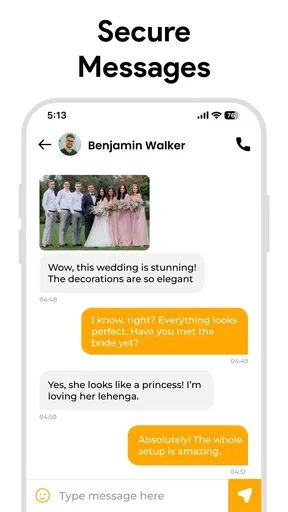
In today’s digital age, privacy is a big concern, and this app has got you covered. It provides end-to-end encryption to keep your conversations safe from prying eyes. Knowing your messages are secure provides peace of mind, which is something we can all appreciate.
Compatibility and Accessibility
Whether you’re on Android or iOS, Messages - SMS Messenger has you covered. The app is designed to work seamlessly across different devices, so you won’t miss a beat switching from one platform to another. It’s user-friendly and accessible to everyone, regardless of your tech-savviness level.
For a quick practical check, I would start with the conversations I use most: send a regular text, try a group exchange, and see whether the media and expressive options suit the way I communicate. It is also sensible to confirm that the app works with the messaging setup on your device before relying on it for time-sensitive plans. Those small checks help you decide whether its simple approach fits your habits rather than judging it only by its appearance.
The app comes from Iphone keyboard, and its current version is 1.2.5. It was released on January 31, 2025, and is listed for devices running version 8.0 or later. It has passed one million installs, which suggests that many people have tried it, but popularity alone is not a substitute for checking how it feels on your own phone. I would use those details as context, then make the decision based on whether SMS and MMS are what I actually need.
Wrapping It Up
All in all, Messages - SMS Messenger is a solid choice for anyone looking to keep their messaging experience straightforward yet effective. It’s perfect for those who value simplicity and reliability in their communication tools. If you’re tired of overly complicated messaging apps and just want something that works, give this one a shot. Who knows, it might just become your go-to app for staying connected with friends and family.
My recommendation is specific: try it if ordinary phone-number-based conversations are central to your day and you want a clean, customizable place for them. Choose a different messenger if your social circle depends on an online platform’s specialized tools or if you need security assurances beyond what you have personally evaluated. That balance is why I see it as a sensible option for straightforward texting, rather than a universal replacement for every app people use to communicate.
Pros
- User-friendly interface with intuitive navigation.
- Supports multimedia sharing like images and videos.
- Customizable themes for a personalized look.
- Secure end-to-end encryption for privacy.
- Works offline for seamless SMS management.
Cons
- Limited integration with third-party apps.
- Lacks advanced group chat features.
- No cloud backup for message history.
- Ads can be intrusive in free version.
- No support for RCS messaging yet.
FAQs for Messages - SMS Messenger
Is Messages - SMS Messenger free to use?
Yes, Messages - SMS Messenger is free to download and use. However, standard messaging rates from your mobile carrier may apply when sending SMS or MMS. Be sure to check with your provider for any additional charges related to messaging services.
Does Messages - SMS Messenger support multimedia messages?
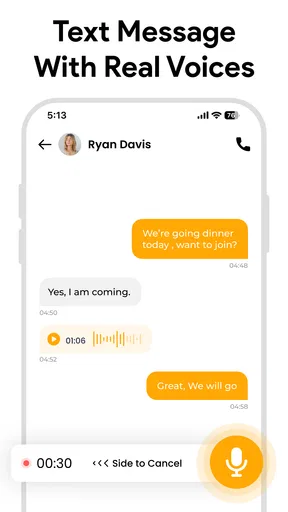
Absolutely! Messages - SMS Messenger allows you to send and receive multimedia messages (MMS), including photos, videos, and voice notes. You can easily share your favorite moments with friends and family through the app's intuitive interface.
Can I customize the app's appearance?
Yes, you can customize the appearance of Messages - SMS Messenger. The app offers various themes and color schemes, allowing you to personalize your messaging experience. You can also change font styles and sizes for greater readability and comfort.
Is Messages - SMS Messenger secure?
Messages - SMS Messenger prioritizes your privacy and security. The app uses encryption to protect your messages from unauthorized access. Additionally, you can set up a passcode or use biometric authentication to further safeguard your conversations.
Does Messages - SMS Messenger support group chats?
Yes, group chats are supported in Messages - SMS Messenger. You can create groups, add participants, and enjoy seamless communication with multiple people at once. It's a great way to stay connected with family, friends, or coworkers in a single conversation thread.


